
Hykmah is the SaaS platform behind WebCommander and its sibling products. Each product was designed on its own terms, then stitched together under one account, one bill and one set of plan tiers. The stitching is where users got lost.
Hykmah is multi product platform but the initial build doesn't reflect that at all.
The platform grew faster than its seams
Hykmah is the SaaS platform behind WebCommander and its sibling products. Each product was designed on its own terms, then stitched together under one account, one bill and one set of plan tiers. The stitching is where users got lost.
Navigation implied the wrong scope:
Product items (Overview, Subscription, Usage and limits, Plugins) and company items (Billing, Affiliate, User access, Audit logs) all sat under the product switcher. Switching product suggested everything changed, when half the menu stayed exactly the same.
What guided the work
Show people where they are and what will change before it changes.
Say one thing one way, on every surface, from banner to invoice.
Never display a state, number or offer that is not true for this user.
SOLUTION 1
Splitting the sidebar by what actually changes
I divided the sidebar into two labelled groups. Product items sit in a tinted container attached to the product switcher, and the switcher names the active product. Company items sit below, outside the container, so it is visible that they do not move. A brief highlight on the product block when switching confirms which part of the menu just changed.

Product & UX Goals
To build a platform with powerful features to manage complex recurring billing and automatic payment with easy and intuitive user experience. Therefore our efforts were to:
Reduce parties’ engagement in the loan setup process and make the process fully automated.
In loan setup process allowing parties to build more transparent and clear relationships.
Lower costs by introducing paperless (eSign) settelement option.
Increased overall engagement through a more personalized experience .
The Design Process
1. Discover
Understanding what the real problem is through communication and discussion with the people who are actively affected by it.
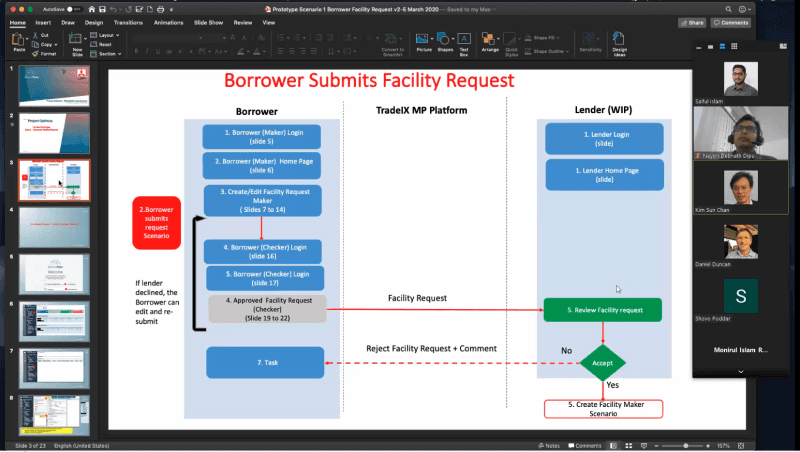
Stakeholder interview
We held conversational interviews with the CEO, PO, and PM to understand their vision, mission, and targets. This allowed us to align the product plan with the business's core objectives and future goals.
Define
We did a thorough research on the requirements of the Buyer Checker. Based on that, our team decide the right information architecture for the web app which will power the platform. The usability of the platform.
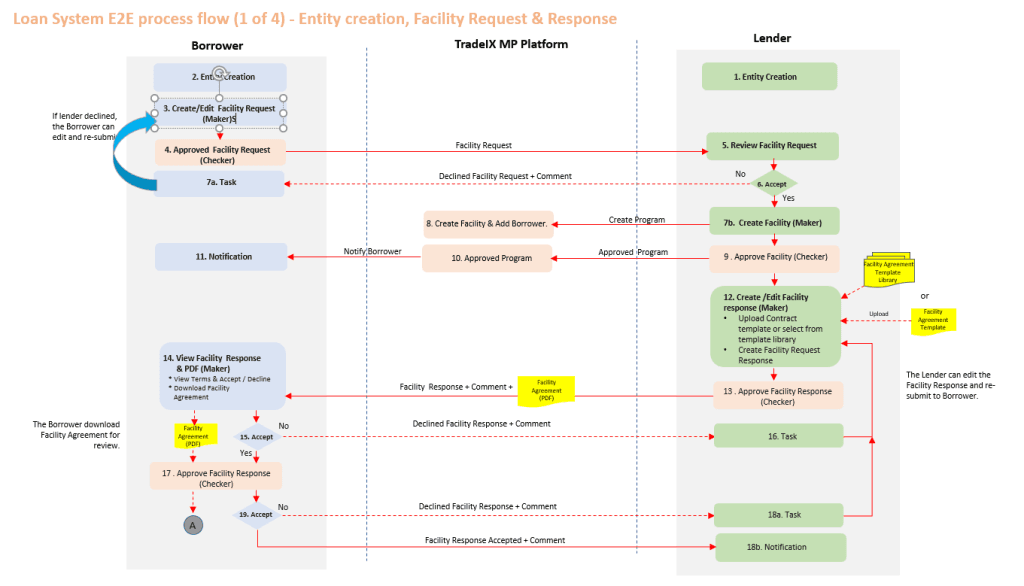
The maker-checker (or 4-eyes) principle is a core financial security standard requiring at least two individuals to complete any transaction. In loan management, this architecture ensures every stage of the lifecycle is verified by a second user.
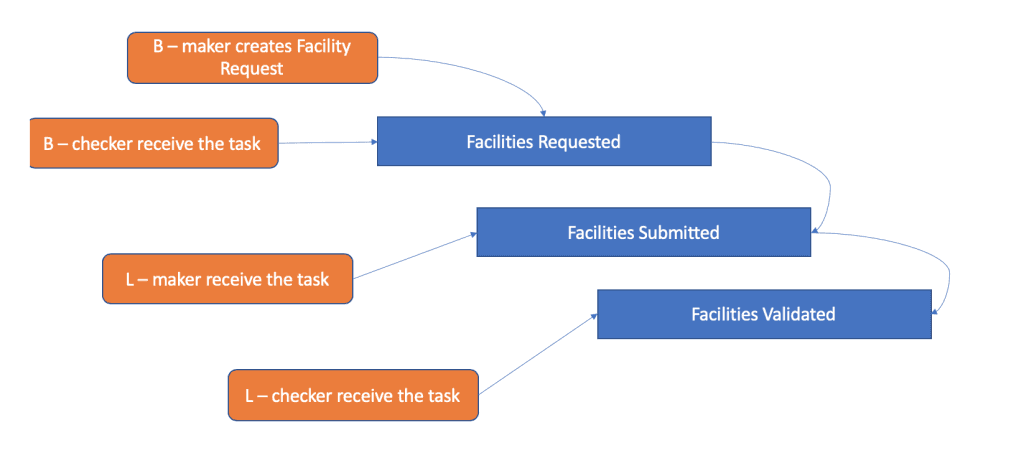
Map the User Flow: In this process, we defined the user flow and mapped the activities to complete all the required operations in a flow. With that, we can find out the happy path and unhappy path so that we can cover all possible scenarios.
Sketch & Design
Then, we extracted ideas to solve the problem. At this step, we did some Low-Fidelity wireframes to draw the solutions.
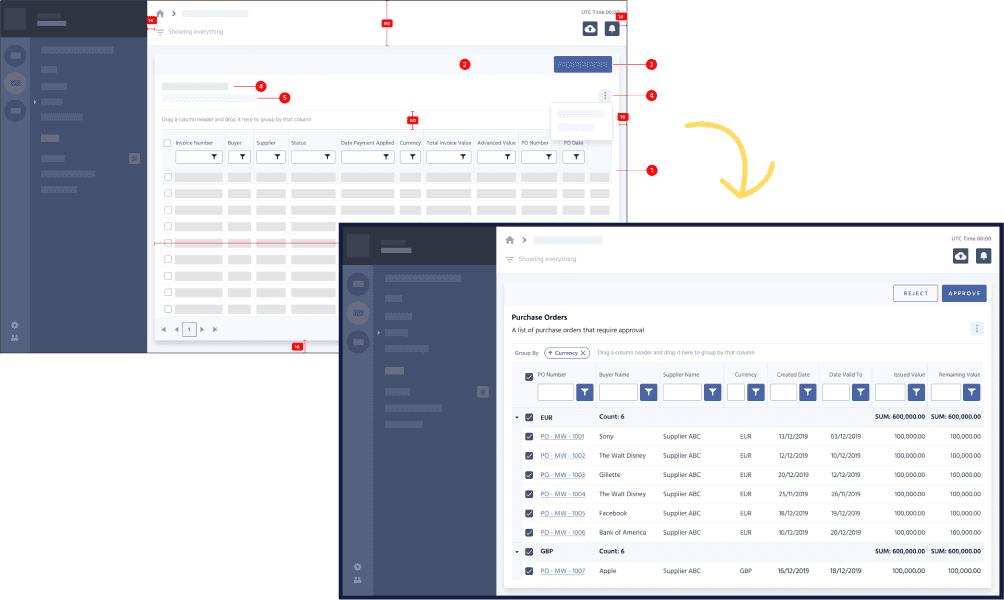
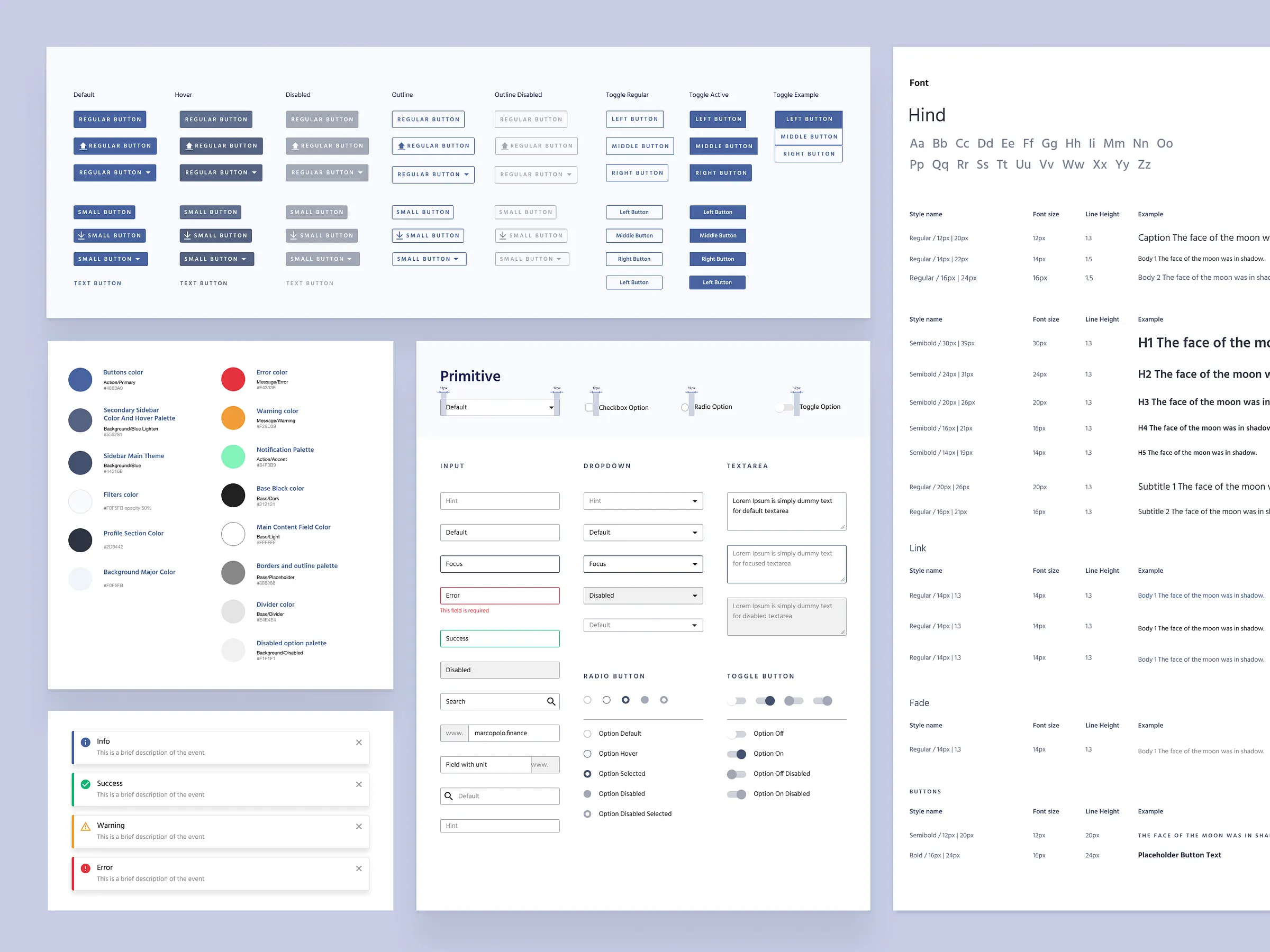
View Deisgn System
Prototype
In this step, we go for Hi-Fidelity design with all details and scenarios and then we connect those screens with actionable interactions.
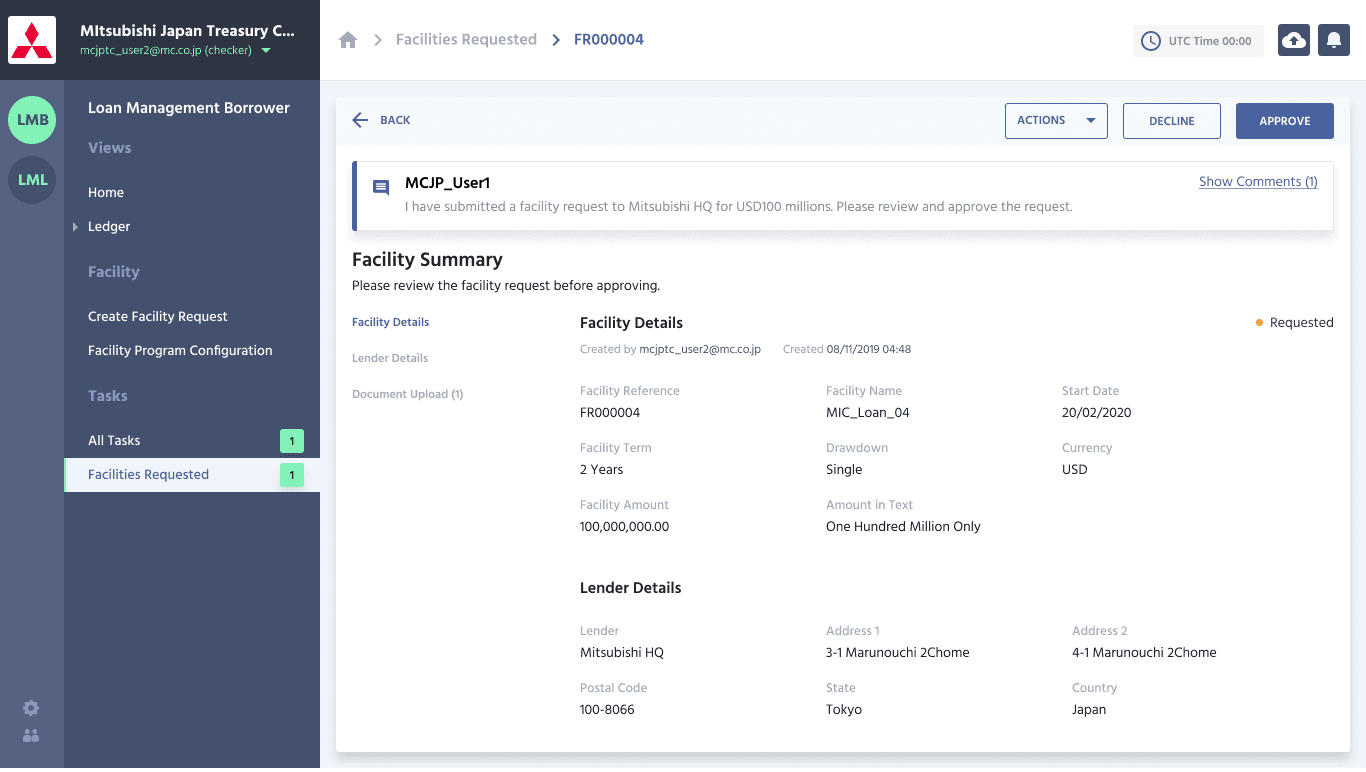
View Deisgn File
Other Notable Areas
Apart from the listed feature designs, we worked on some other advanced features that helped to establish the product ahead of other competitors. We wanted to make sure the user can drive himself to do complex customization easily.
Document e-Sign: This allows user to create new Invoices, Communication Emails which can be used in Automatic Billing process. The rich template library helps the user to pick any of them and modify and use easily with fixed data or macro data.
Integration Wizard: Integration Wizard designed for connecting platform with external application. For version 1, we went with MYOB & Zero.